Connector Improvement: Campaign Manager Path to Conversion "Activity Filter"
Answered
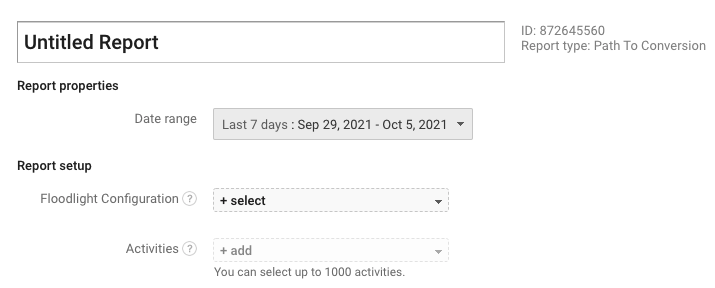
The Campaign Manager Path to Conversion report is a log-level report of all interactions leading up to a conversion within the floodlight lookback window, and is therefore very large. The ability to filter for conversion activities is really useful for limiting the amount of data pulled in and reducing sync time.
-
Official comment

Hi Zoe Martiniak, Drew from the Product Team here!
I'd like to understand a little bit more about what you are looking for. Are you looking for an option to sync ONLY the conversion events in a Path to Conversion report?
Does this mean you would like to remove all of the Interaction events?
-
Hi Drew, I mean that I want to have the ability to filter for specific conversion activities. We have many conversion activities which is causing this report to be excessively large.
The screenshot in my original post shows the Campaign Manager UI with the "Activities" drop-down field which allows us to select one or many conversion activities to filter the report for. The following screenshot shows the API field for the activity filter in the API documentation: https://developers.google.com/doubleclick-advertisers/rest/v3.4/reports#Report.FIELDS.path_to_conversion_criteria

Please sign in to leave a comment.
Comments
2 comments