Improve feature request UI and UX
Answered
I would like to be able to search the list of feature requests, e.g. for key words in a search bar.
Right now, I can't tell if the feature I'm requesting has already been raised and I should upvote it or whether I need to raise it myself.
I can only select specific statuses or sort.
-
Official comment

Hey Fabio,
Thanks for reaching out to us. Upvoting existing features is always beneficial to us so that we can aggregate total customer demand for product enhancements. You can search for existing requests by following the steps below:
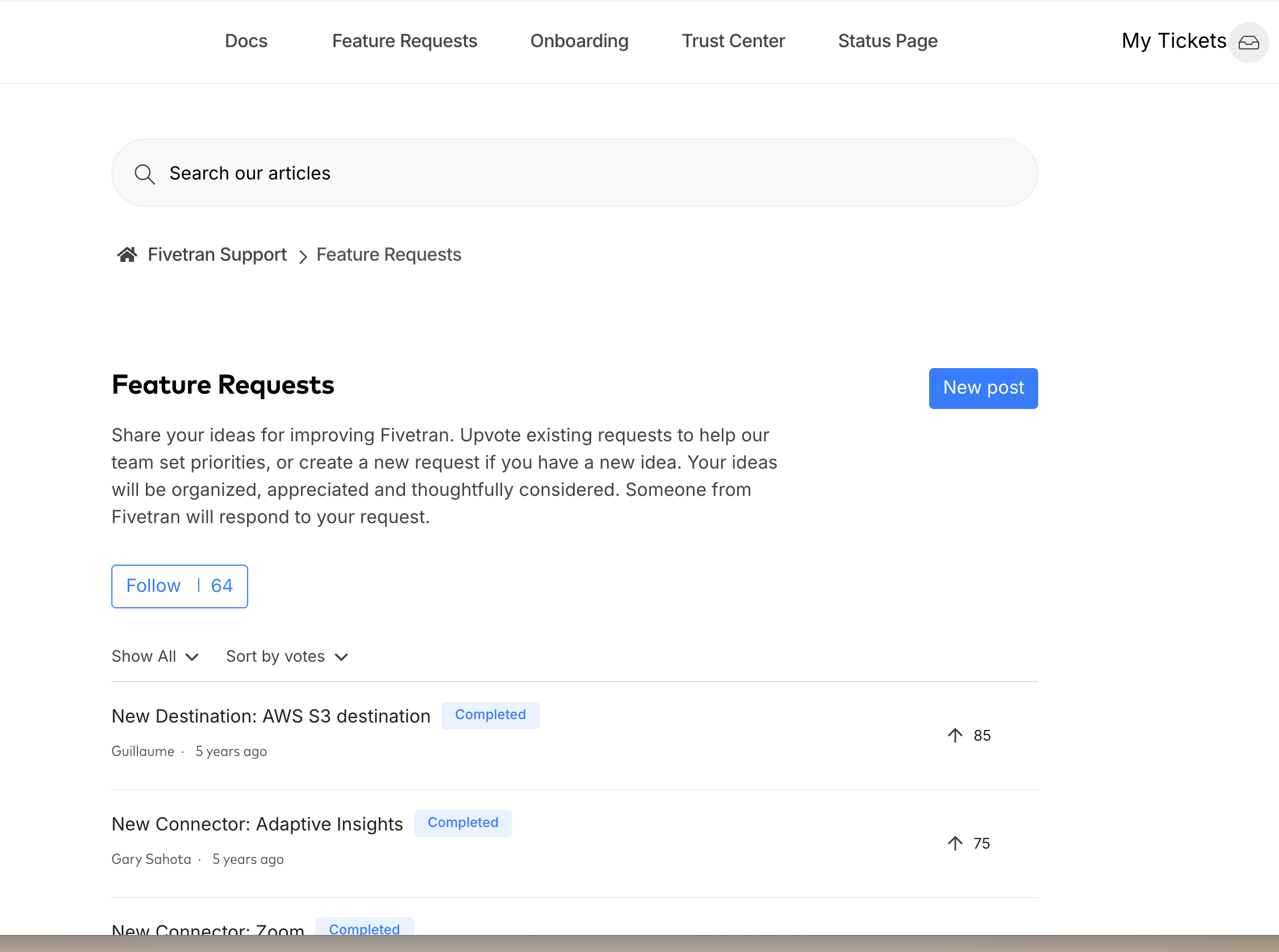
1. Use the search bar on the main feature requests page to type in your keywords:
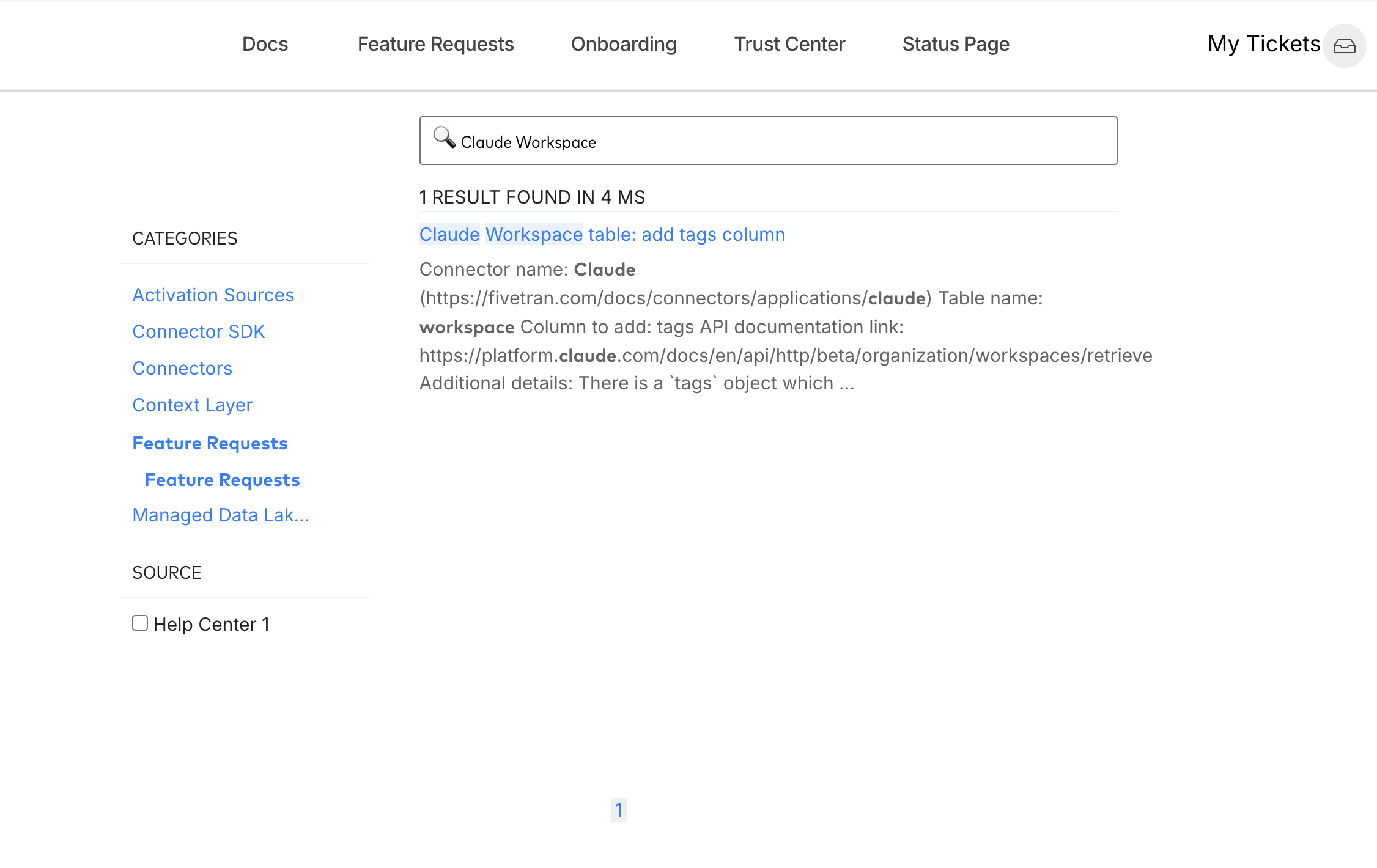
2. Since you were interested in the Claude Workspace, the following shows what the search results would have looked like. You can select the 'Feature Requests' filter criteria under the 'Categories' sidebar:
Let me know if you have any questions regarding this, or have any suggestions on enhancing the experience. Thank you!
-
Hi Naren,
I had indeed followed all those steps (I was checking if anyone else had raised the tags column - that was my subsequent request).
However, it was unclear to me whether there were no Claude Feature requests because the "Feature Requests" section was not present in the categories on the left-hand side of the screen, e.g.when I search for "test_string_":
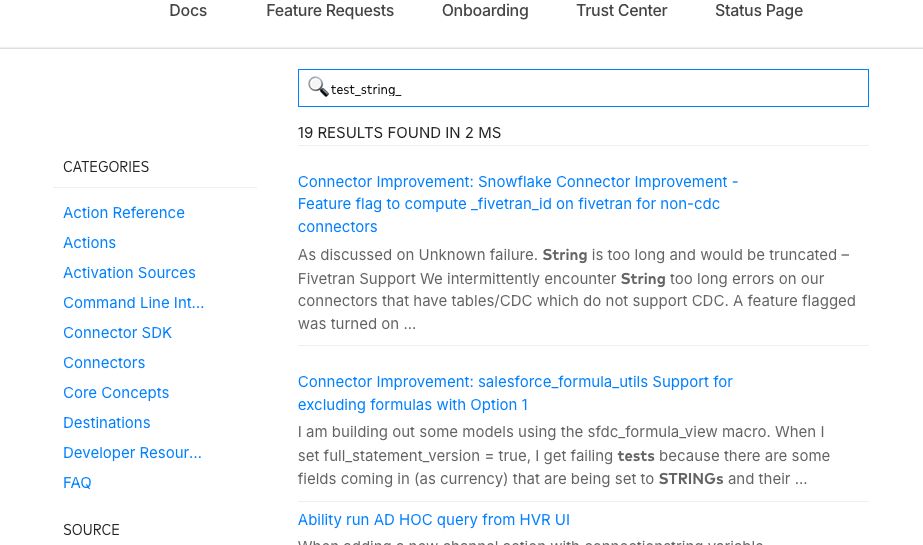
Ideally, I could search specifically within the feature requests category, e.g. using a category filter, or keep the feature requests category on the left-hand side and show something like "There are no matching results" when I click on it, rather than expecting me to assume there are none.
That is, I want to explicitly be told there are no search results in some way.
-
Hey Fabio,
Thanks for your reply, I understand your requirements better now.
Appreciate the feedback, we will review this internally and add it to our backlog of feature improvements after we complete feasibility and design assessments.
Have a good day!
Please sign in to leave a comment.
Comments
3 comments