Other: UI Improvement - Activation Syncs Scheduling
Answered
Problem: when setting a schedule for a sync the time shown is in UTC, which requires a human to convert into the local timezone and is error prone.
Desired Solution: convert to the local timezone of the user. Interestingly, this is how it appears when you go into an existing sync to edit the schedule.
Attached screenshots show what appears as the sync configuration and sync editing steps.
Screenshot of time when configuring a sync: 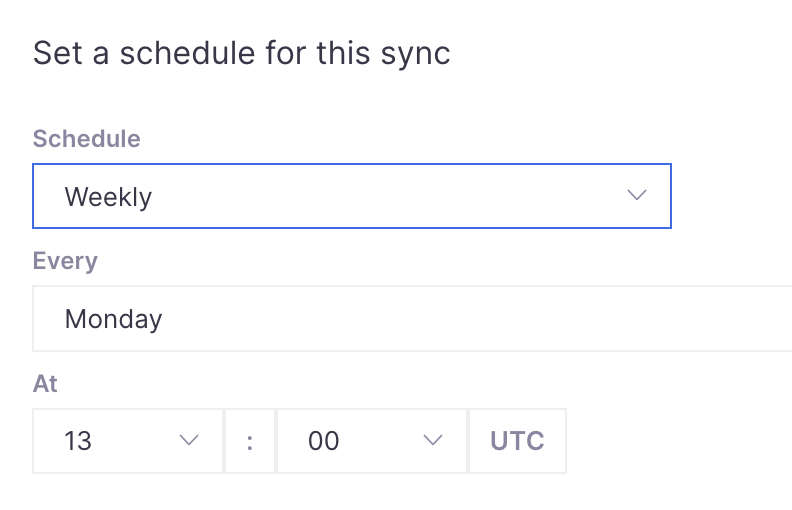
Screenshots of how time appears when reviewing or editing an existing sync:
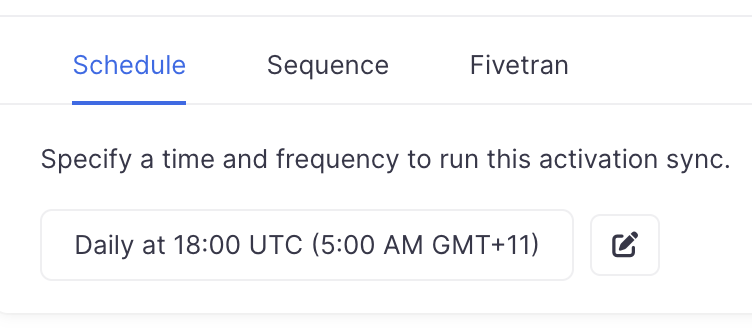
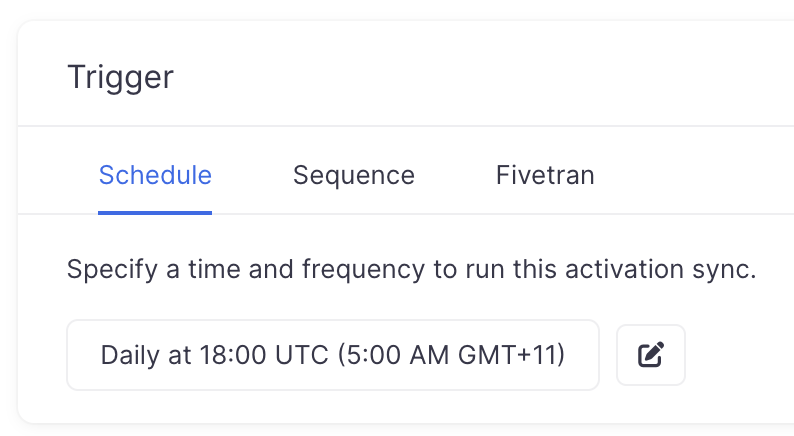
-
Official comment

Thanks for the feedback, Catherine! Agreed that UTC is not the most intuitive way to set up schedules. We'll see what we can do to make timezones more obvious.
Please sign in to leave a comment.
Comments
1 comment