Connector Improvement: Manual Sync Frequency Scheduling

There are certain connectors we want to trigger using an API only, we dont want to have to pause and unpause then sync every time. Could you possibly put an option for 'Manual' or 'Trigger Based' for sync frequency so that the connector remains unpaused but only runs when trigged by something like an API. In our example we are using eventbridge to trigger the connector, but the problem is that the connector runs again when the 24 hour scheduled time comes up as well. We would like it to sit unpaused with no time based schedule on it.
-
Official comment

Hi Frank,
I'm Ryan, the PM for Developer Tools including our API. This should be possible today by calling the sync connection data API endpoint. which will run even if your connection is paused. Could you try this and let me know if it works?
Ryan
-
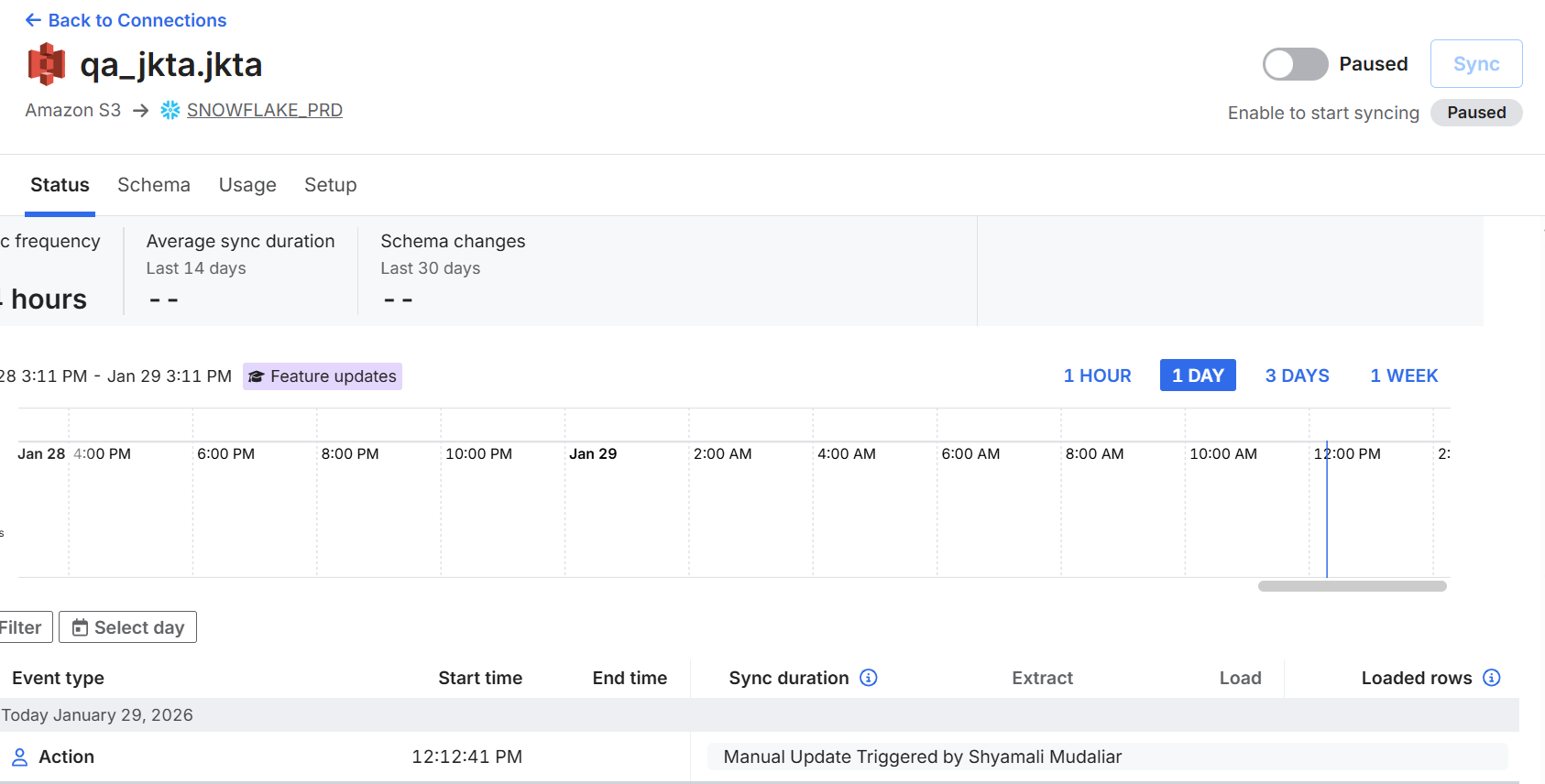
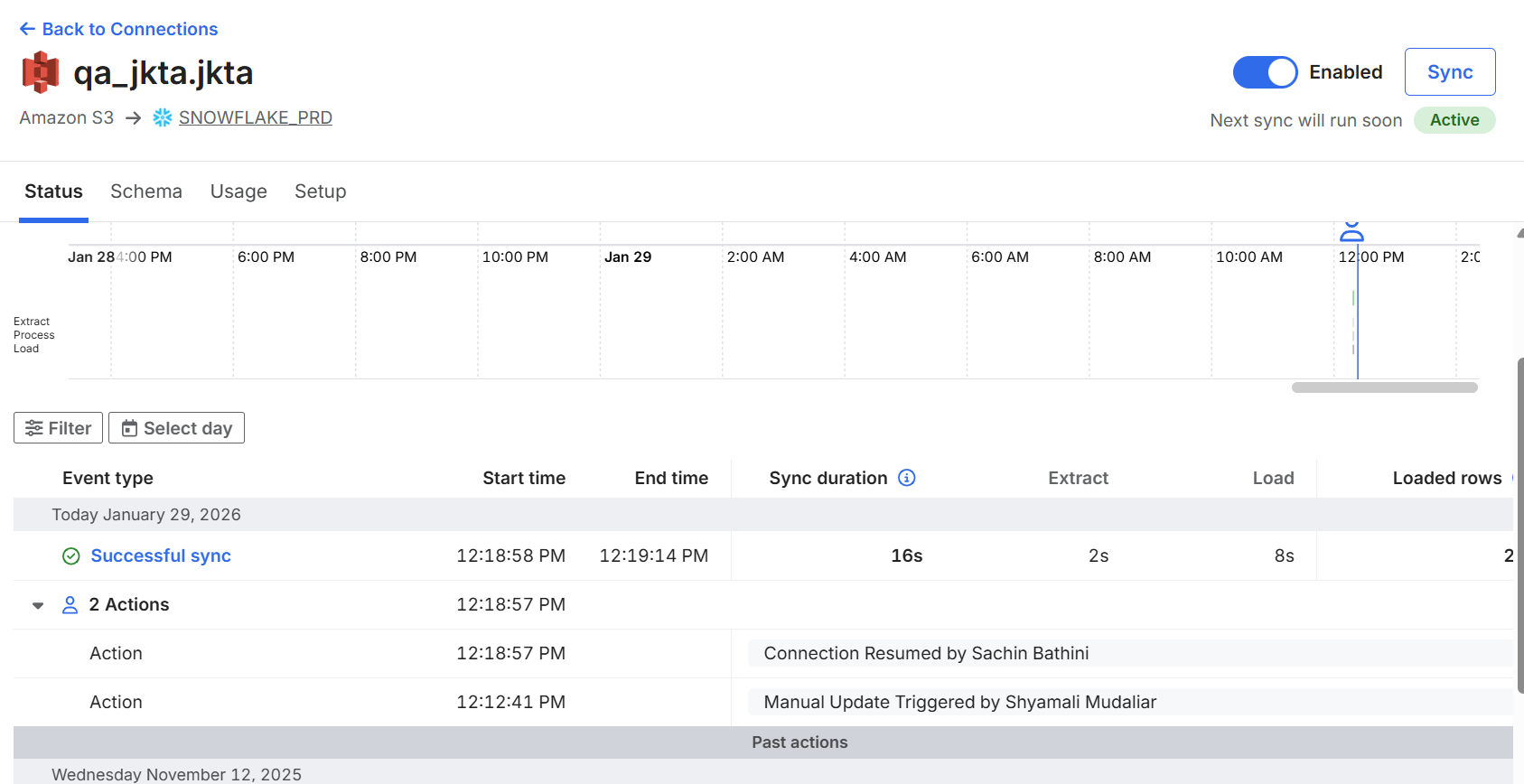
We tried a couple of our S3 connectors that are triggered by eventbridge, it looks like the api is able to trigger the connector but that triggering does not result in a sync. Below is a screenshot of one of the S3 connectors we tried. We monitored the GUI for 5-10 minutes after it said it triggered and nothing happened. We checked the data in Snowflake and it does not load so it looks like its simply registering as being triggered but nothing comes as a result of that. After waiting a while we manually unpaused the connector and it immediately synced, inserting 200+ rows. Unless we are missing something, it seems triggering an unpaused connector from the API doesn’t result in a successful sync. The second screenshot shows the triggering by Shyamali though the API that does not conclude in a sync, followed by unpausing the connector in the GUI by Sachin which does cause a sync. Please let me know if you need any additional information.
-
Hi Frank,
I think we actually have a way to do this that I didn't realize. If you update your connector to have the schedule_type of 'manual' as shown here, you should be able to run syncs whenever you trigger them without having them run regularly. You would still have to unpause the connection but no syncs would run except when you trigger them. Could you check this out and see if it solves your problem?
-Ryan
-
That worked perfectly, thank you for your help!
-
Glad I could help! Let me know if you have any other questions with the API!
Ryan
Please sign in to leave a comment.
Comments
5 comments