Connector Improvement: dv360 - floodlight activitiy
Answered
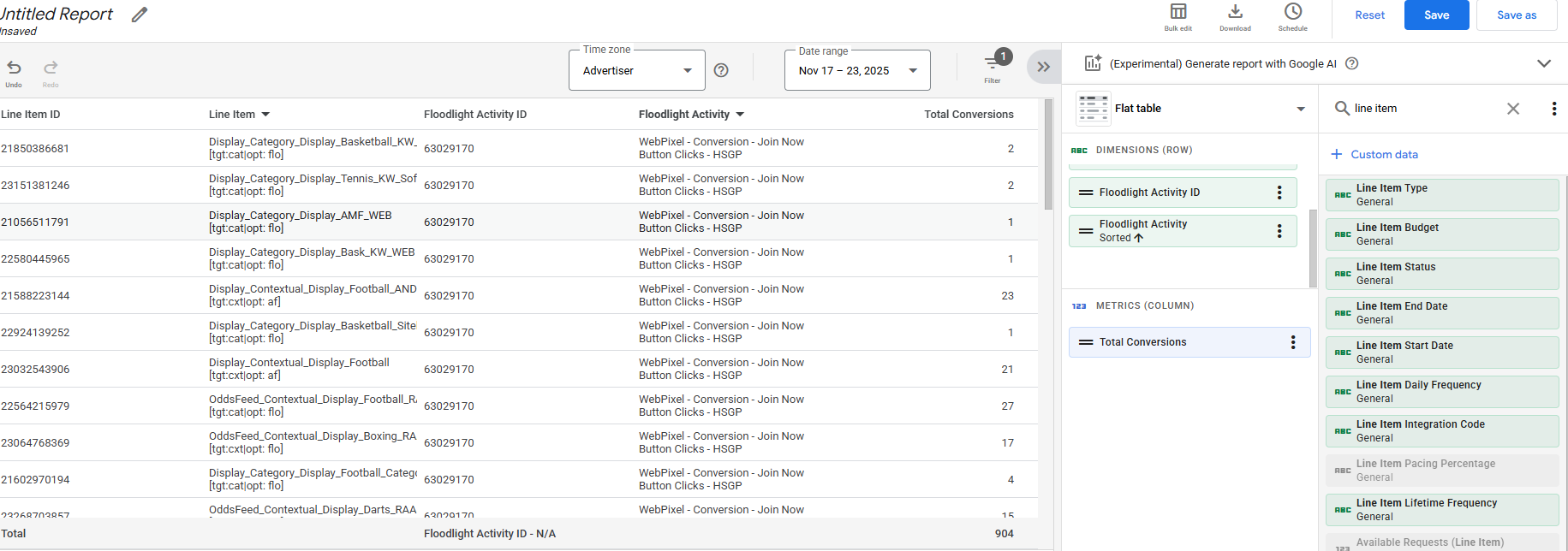
I would like to start receiving floodlight data at line_item level within DV360 similar to the online reports with the DV360 UI as shown below. Let me know whether it is possible to achieve this?
-
Official comment

Hi,
Luke from the Product team here. Thanks for reaching out.
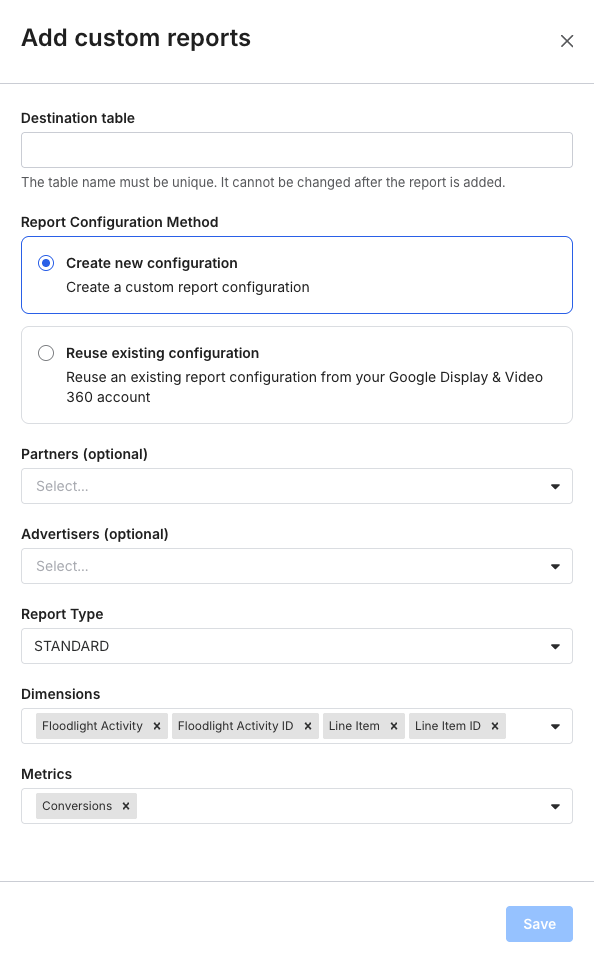
This type of question is better suited for our support team. You can open a ticket with them using the "Contact Support" button here: https://support.fivetran.com/hc/en-us.However, this is relatively straightforward, so I'll provide the answer for you. You can accomplish this by creating a custom report on your DV360 connector. From the setup form, click the + Custom Report. This will open a side drawer where you can choose the fields to include in your report. For this example, you'll need the dimensions I selected in my second screenshot and Conversions as a metric. After you save the custom report and save the changes in the setup form, the connector will start syncing this as a new table during the next sync.
Please contact our support team if you have follow-up questions. I'm going to mark this request as Answered.Thanks,
Luke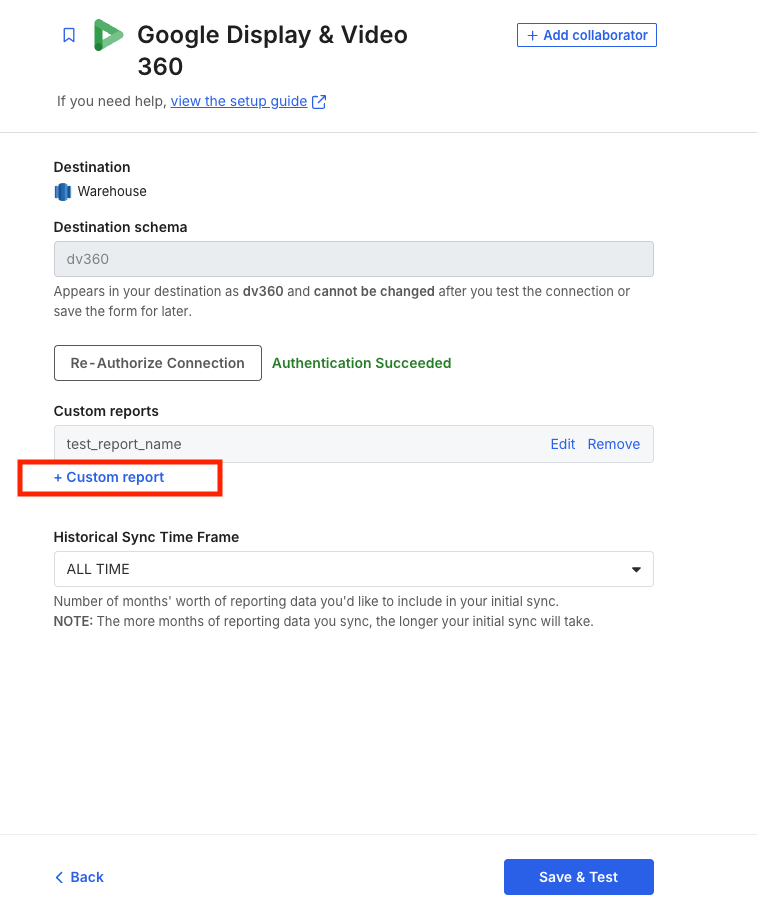
Please sign in to leave a comment.
Comments
1 comment