Transformations: FileFormat action to replicate Oracle LOB into S3 files without changing the file content at the end.
Answered
This is motivated due to issues we are facing using FileFormat as "csv" to replicate LOB columns from Oracle source to S3 bucket.
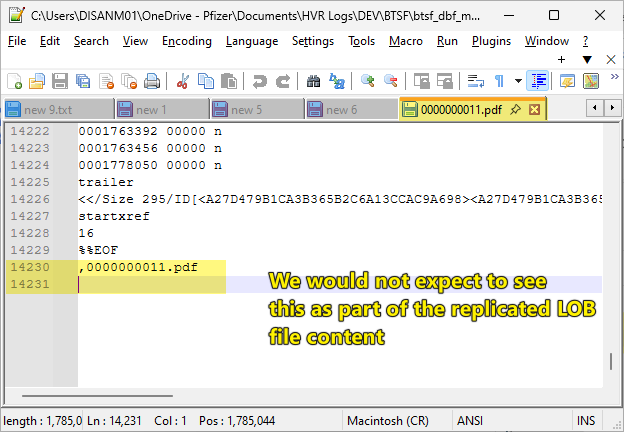
We are properly configuring below actions, but resulting file content is the real LOB information + the file name column values and this is affecting the file content inside S3. Our clients don't expect to have the resulting file to include more information than the real LOB value.
This is the original Source Oracle table columns, we only need to use 2: file_content and file_name:
This is how we set HVR Table definition for the same db_files table: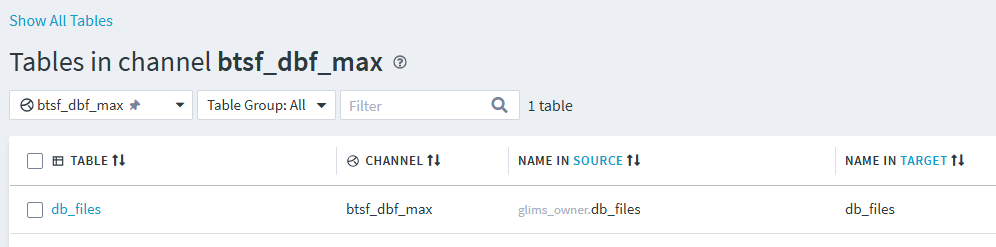
These are the only columns we would like to work with. Here we included file_name to be used for Rename Expresion.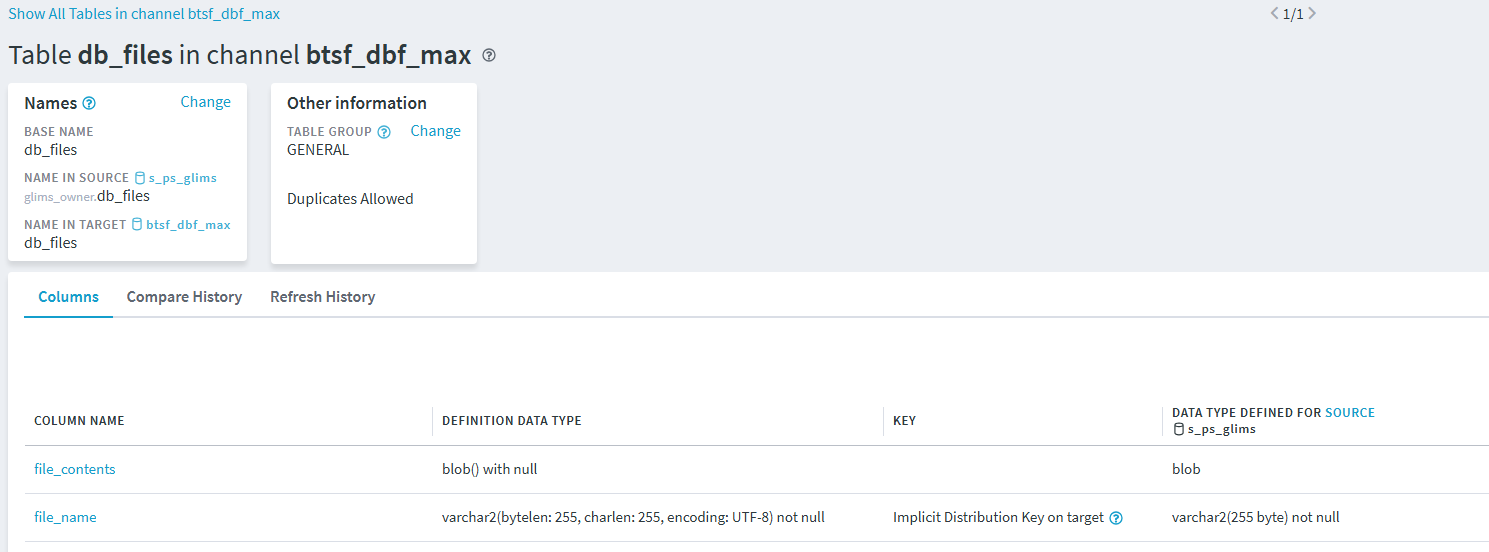
These are the actions we set for the replication: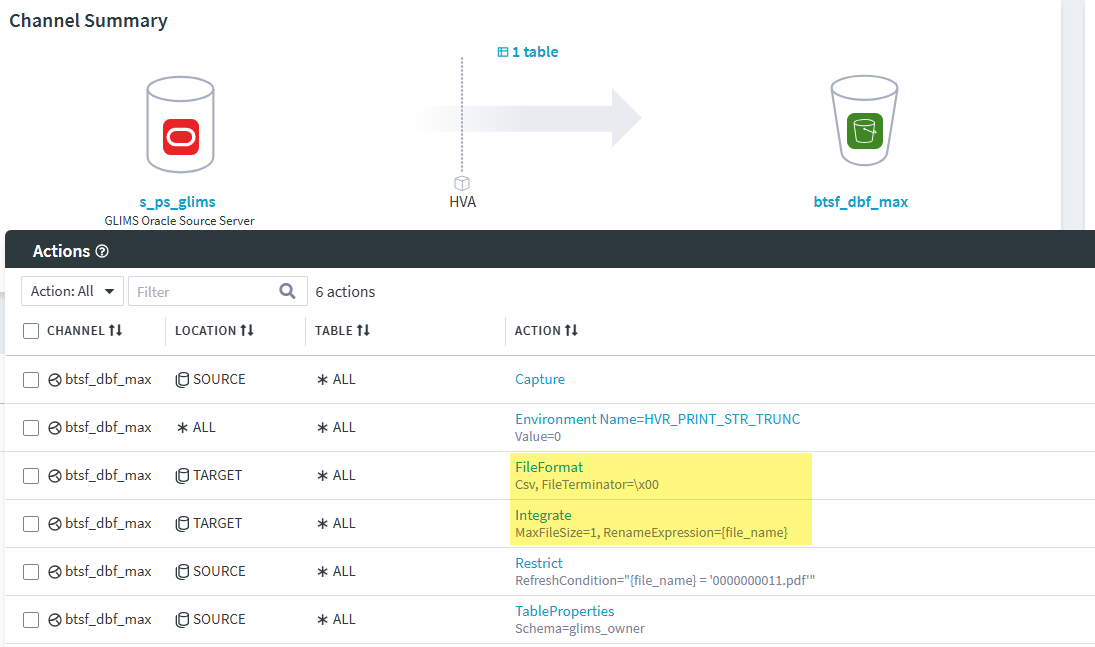
After refresh done: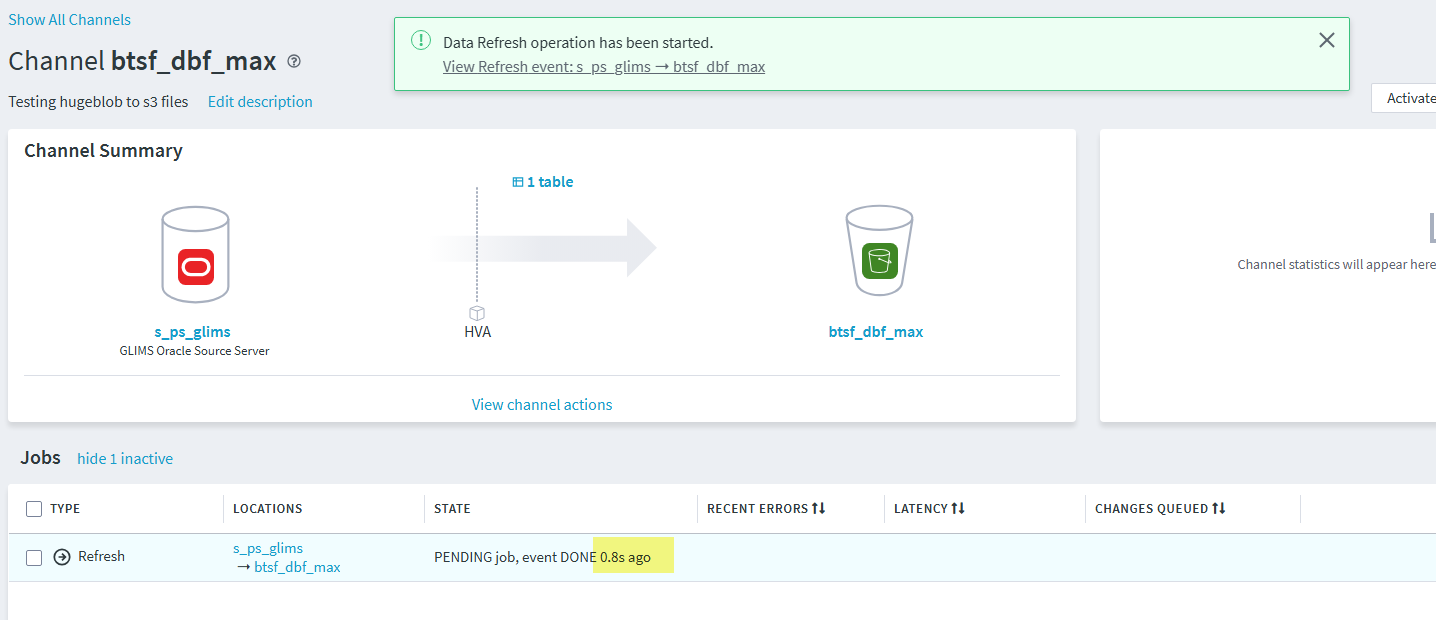
We got this file inside S3 bucket: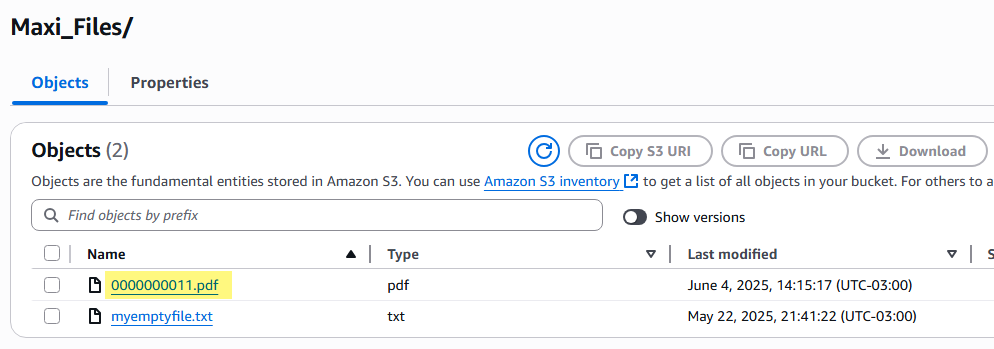
After downloading this file, we noticed that the file content put extra line (file_name column value) where is not expected: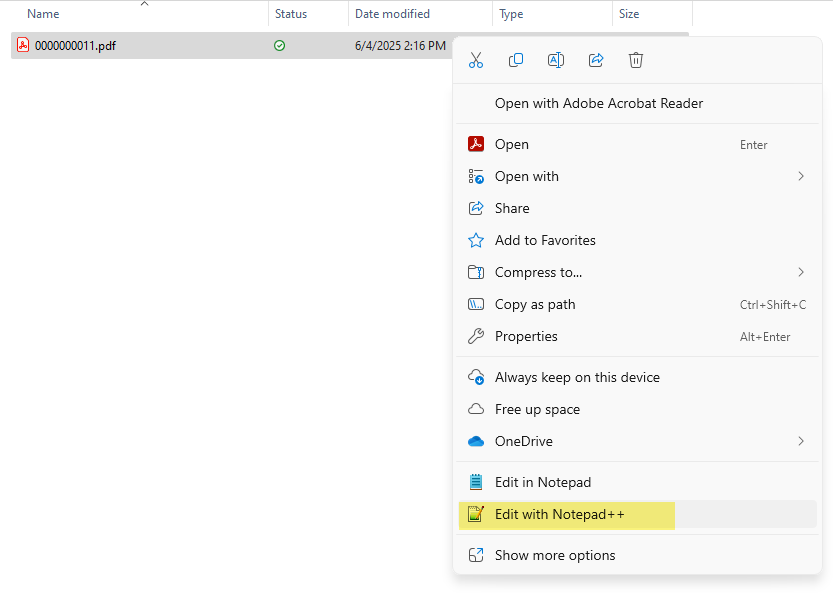
I hope you can helo on getting something for these kind of situation, that can be available from "FileFormat" action below: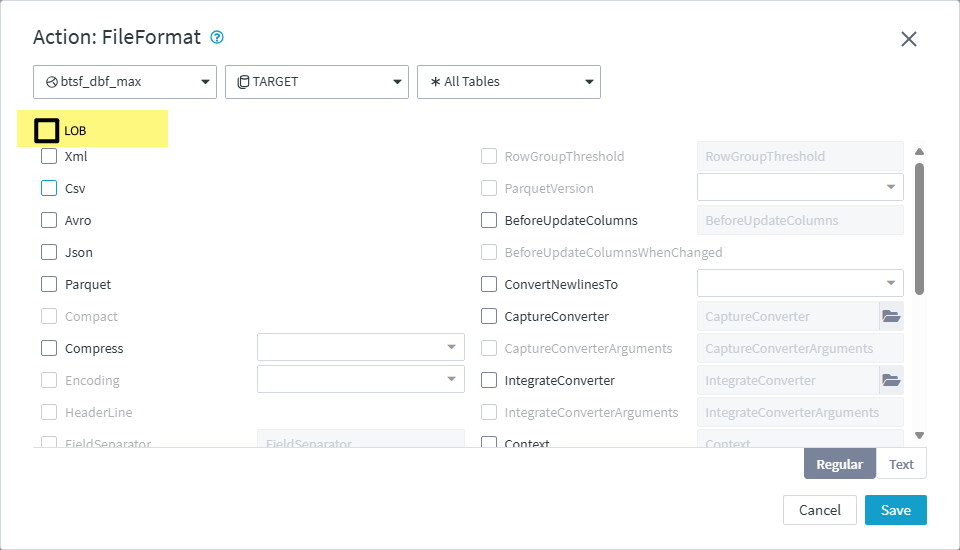
-
I hope we can get this in new patching cycle.
-

Hi Max,
Thank you for submitting this request.
You should include an action TableProperties and set MapBinary on the target (https://fivetran.com/docs/hvr6/action-reference/tableproperties#mapbinary). I recommend you use BASE64.
Hope this helps.
Mark.
-
Hi @Mark Van de Wiel, could you please help me with some use case article to understand how this configuration will avoid unwanted columns to be into the real binary exported file into bucket?. I read link, but still unsure how to use it.
-
Max,
The documentation highlights:
"Available options for policy are:
- COPY (default for CSV and databases): Memory copy of the binary data. This can cause invalid characters in the output.
- HEX: The binary value is represented as HEX string.
- BASE64 (default for Json): The binary value is represented as Base64 string."
You said that you have unwanted characters at the end of your binary value, which I figured is likely due to the default COPY being applied. You should instead encode the binary values. Then when you access the data you should use a (reverse) decoder.
Hope this makes sense.
Mark.
Please sign in to leave a comment.
Comments
4 comments