Connector Improvement: Add 'Select All' and 'Deselect All' to the "Select Data to Sync" page
Answered
PLEASE add buttons to 'Select All' and 'Deselect All' objects in the schema of a new Connection.
I am setting up a trial of the Netsuite connector - for which, we only need to test a single table. But there are hundreds, if not thousands, of objects available to sync. There is no way to deselect all of them, so I am giving myself carpal tunnel syndrome manually de-selecting them one by one.
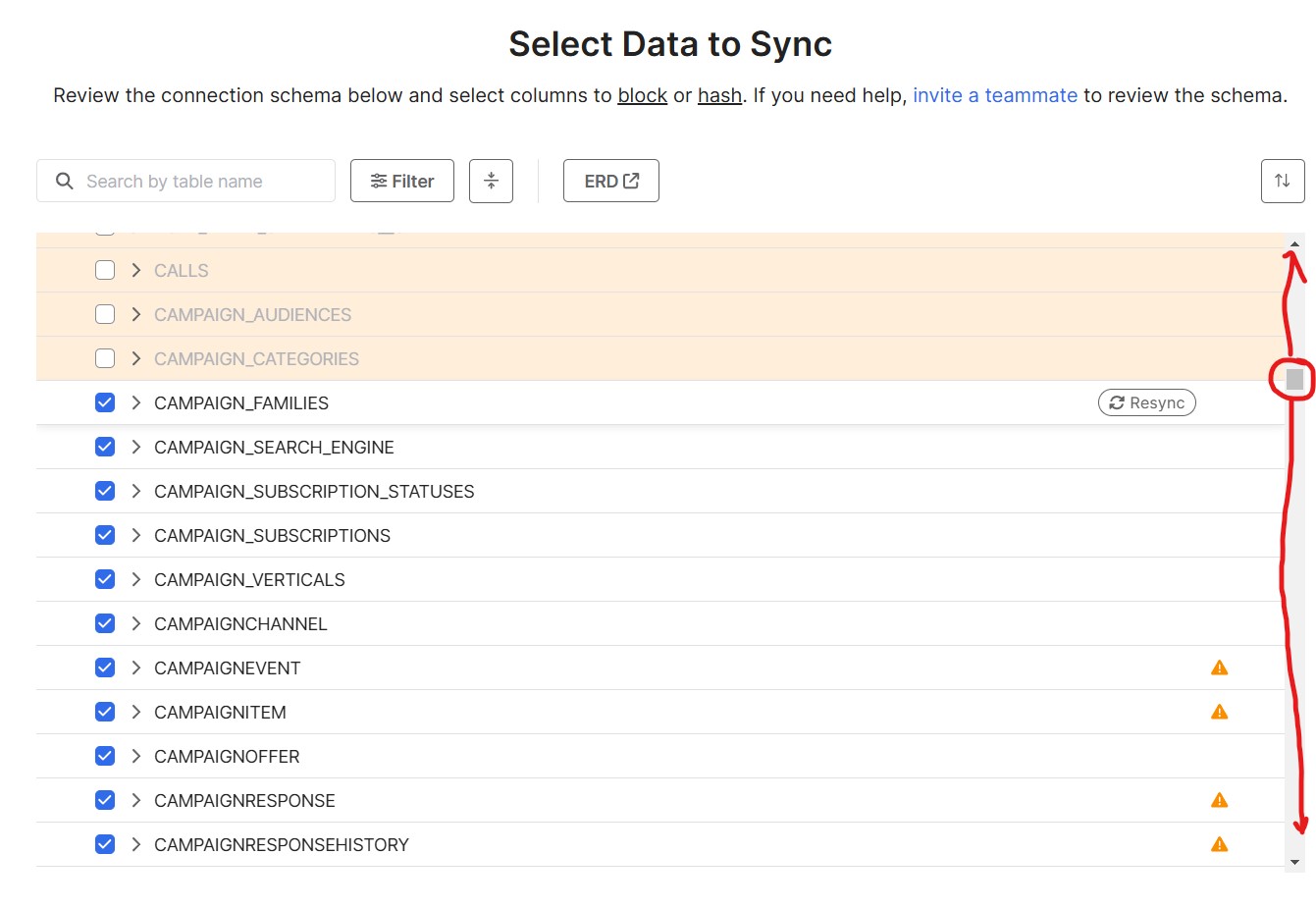
-
Official comment

Hi Daniel, Drew from the Product Team here.
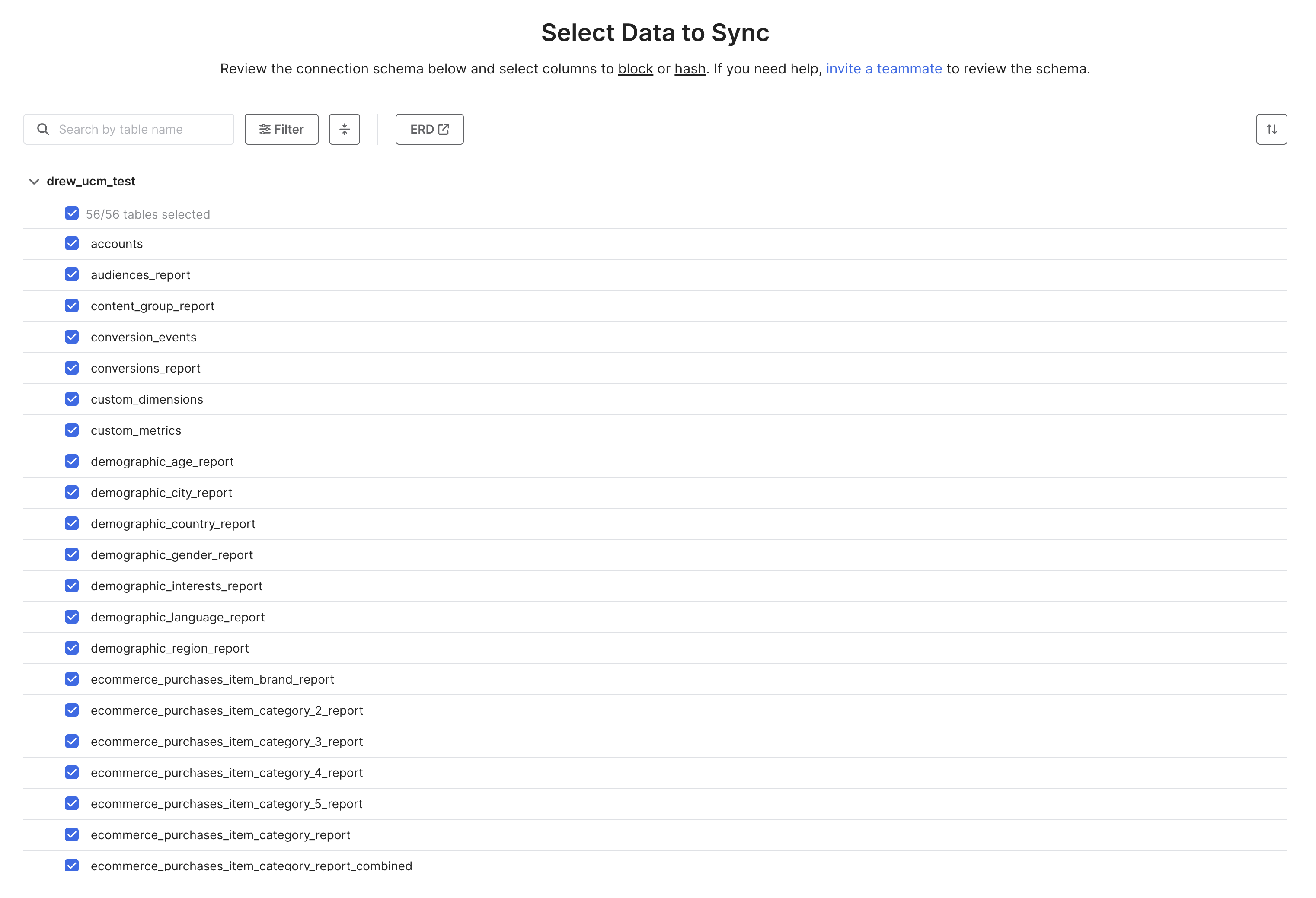
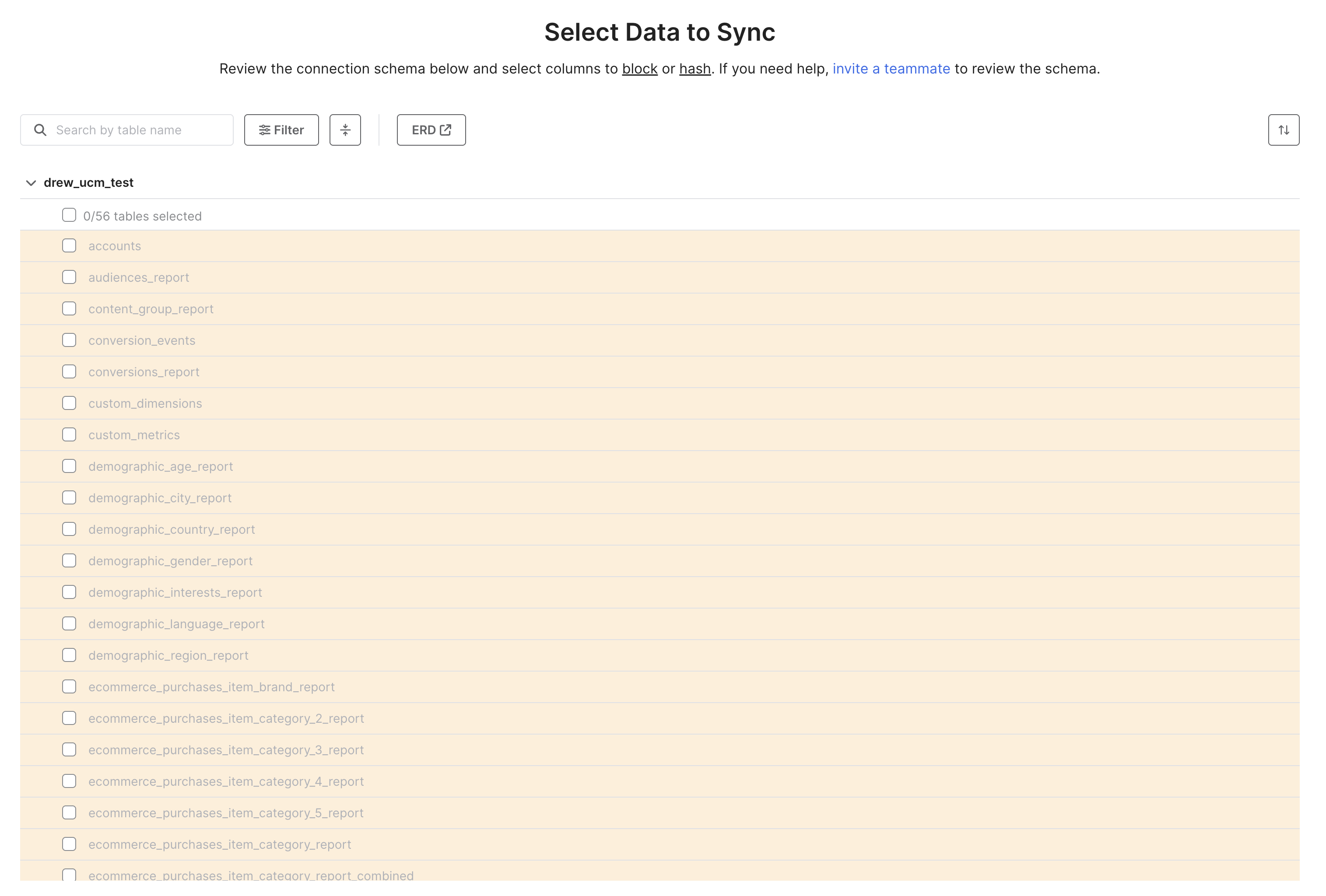
We actually already support this feature on the select data step and the main schema tab. You can see in my screen shot below. If you click the first check box at the top of the list that says "x/y tables selected" it will automatically check or uncheck all tables.
-
Thank you, Drew! I completely missed that. Could the Select All / Deselect All aspect of that very first tick box be made more obvious - just to draw more attention to it, for those of us who skim past it, looking at the field names?
-
I'll pass that along to the design team! Thanks for the feedback.
Please sign in to leave a comment.
Comments
3 comments