Other: UI Enhancement Request: Slight changes to the "Choose Account" and "Is that You - SSO" screens

Hello,
I am appreciative of the Fivetran Product Team for making UI changes, especially, when it comes to Organizational users logging-in via AzureAD SSO.
I noticed that my end-user authentication experience is a lot better than before, however, little tweaks/improvements could go a long way for a much smoother end-user experience.
For instance, when I sign-in using SSO on Fivetran's screen, it displays a "Choose Account" screen (see image below).
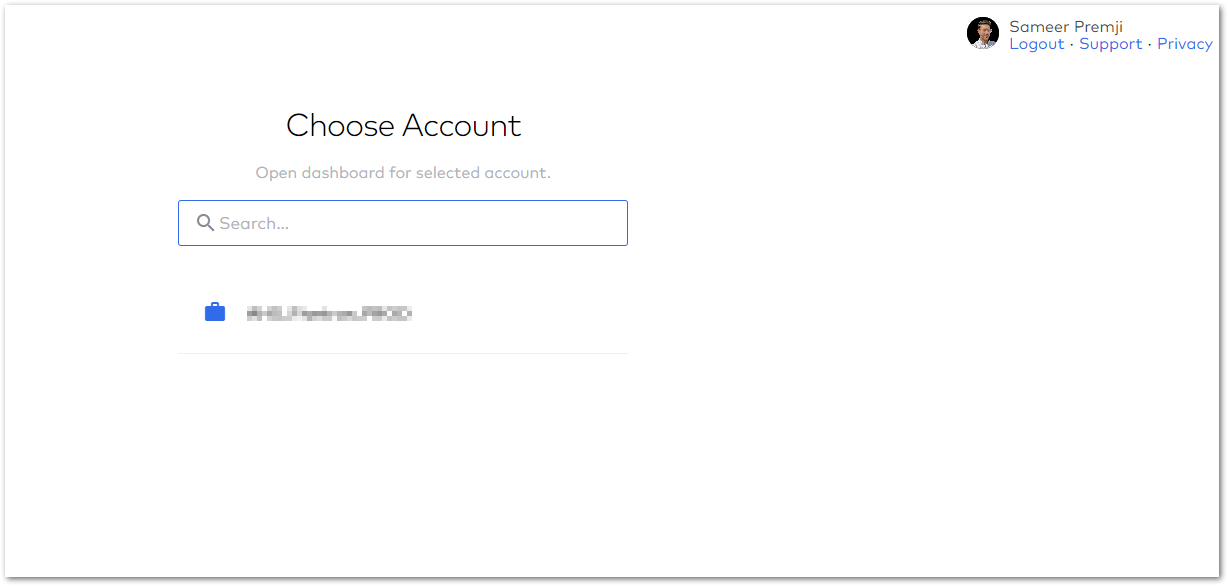
I would like to suggest a small tweak to the underlying business logic as to when to display this "Choose Account" screen.
If a Client/Customer happens to have more than 1 Accounts like PROD, DEV, TEST, then obviously display "Choose Account" screen, however, if the COUNT equals to 1, it should not display this screen unnecessarily but rather, take the user directly to the one and only account.
Secondly, after I click on the Account, I see yet another screen "Is that you?" with a single button [Sign-in with SSO]. Because the end-user has no other choice, other than click on a single button that appears on the whole screen, is it even useful to display such blockers/time-wasters? If SSO is enabled for a given account, it should be smart enough to validate and check and automatically login the user using SSO without this additional screen with only a single button. Just sharing our end-user experiences from using other SaaS solutions such as Snowflake, etc. and we do not see these screens.
It is always small tweaks like this that makes a huge difference in the end-user's experience with Fivetran.
There is no rush on this but I wanted to voice this so that Meera can review this slight tweak for upcoming UI enhancements.
Thanks!
Please sign in to leave a comment.
Comments
0 comments